Image to G-code: trace a photo or PNG into CNC toolpaths
Design Swiftly is a browser-based CAD/CAM editor for CNC routers. To turn an image into G-code, you import a PNG, JPG or other picture, trace it into vector paths, choose a cut for each path and export the G-code file for your machine, all in one browser tab.
Updated by the Design Swiftly team
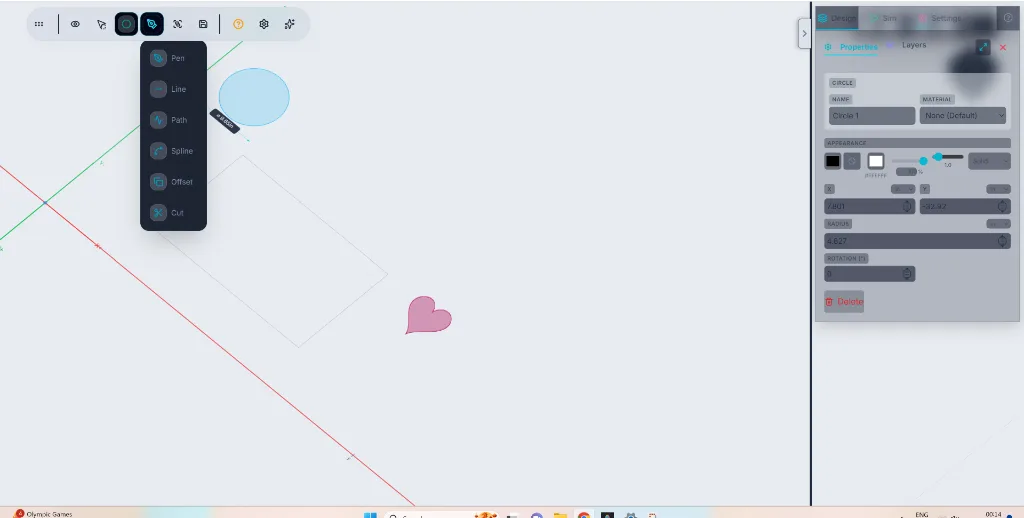
What the image to G-code workflow supports
- Image formats: PNG, JPG, JPEG, GIF, WebP, BMP, AVIF, HEIC, HEIF and TIFF, from a file, a URL or a paste.
- Trace modes: Black only, Silhouette, Edges, Colours, Lights and Centerline.
- The Black only mode runs in a Rust module compiled to WebAssembly in a background worker; the other modes run in JavaScript.
- Cuts per path: profile inside, outside or on the line, pocket (raster or spiral) and drill, with multi-pass depth.
- G-code output for GRBL, LinuxCNC, Mach3 and Marlin, in millimetres (G21) or inches (G20).
- The pricing page lists image tracing in the Pro and Studio plans; image import is in every plan.
How to convert an image to G-code
- Import the image. Open the editor and import a PNG, JPG or photo, or paste one from the clipboard.
- Trace it. Pick a trace mode. Black only suits logos and line art; Centerline suits drawings you want to follow with a single cut.
- Clean up the paths. Delete stray specks, join or simplify paths, and scale the design to your stock size.
- Choose the cuts. Set each path to an inside, outside or on-line profile, a pocket, or a drill, and set the bit, depth and step-down.
- Preview and export. Run the 3D simulation to check the cut, then export the G-code file for your controller.
Which images trace well
High-contrast pictures with clear edges trace into the cleanest paths: logos, silhouettes, line drawings and text. Photos with soft gradients give many small paths; the Silhouette and Lights modes help by keeping only the main shapes.
A traced path is a vector shape like any other in the editor, so you can edit its nodes, combine it with text or other shapes, and size it in mm or inches before you make toolpaths.
Frequently asked questions
Can I convert a JPG or PNG to G-code for free?
Importing images and making G-code are in the Free plan, which allows 5 G-code exports a day. The pricing page lists image tracing in the Pro and Studio plans, so tracing a photo needs one of those plans.
Does Design Swiftly need to be installed?
No. It runs in a desktop or mobile browser. Sending G-code straight to a machine needs Chrome or Edge on a desktop computer.
Which machines can run the G-code?
The post-processors write standard G-code for GRBL, LinuxCNC, Mach3 and Marlin. Only the GRBL output is tested on a machine, our own GRBL 1.1 router: check the toolpath in the simulator and run an air cut first on any machine.
Trace your image into G-code
Design Swiftly runs in the browser. The Free plan needs no install; see pricing for what Pro and Studio add.
Open Design Swiftly